芭蕉.
basho.
iPad と iPhone で使う SSH ターミナル。
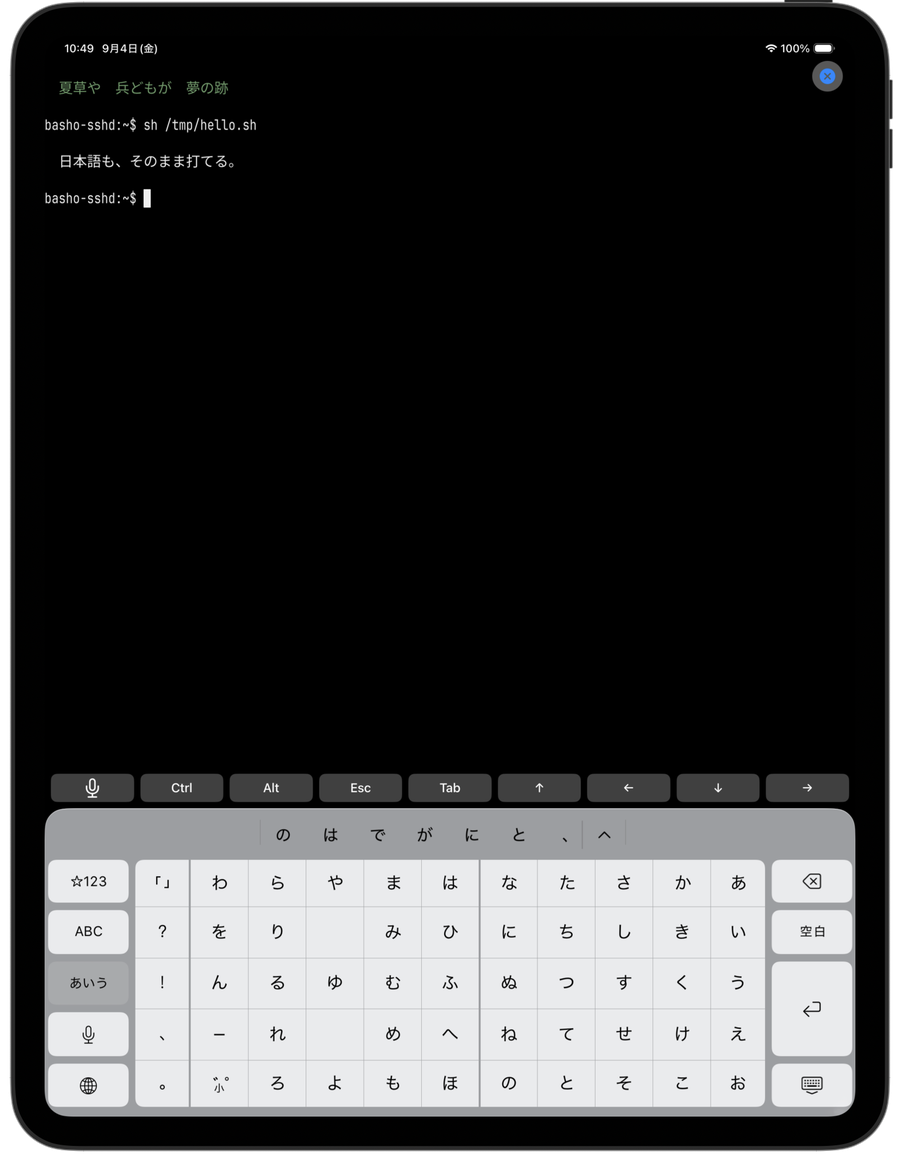
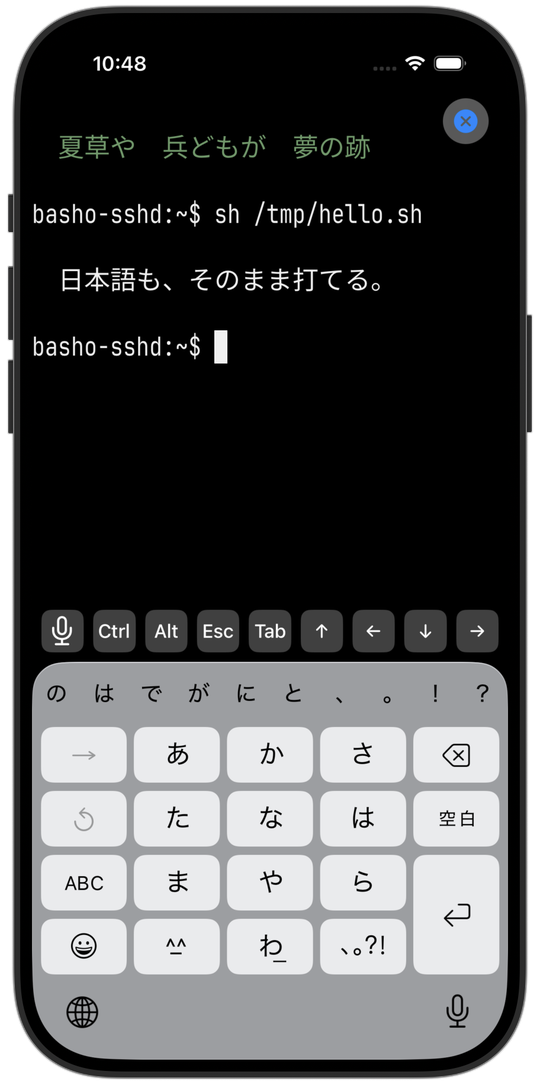
日本語 IME が最後まで動く。
An SSH terminal for iPad and iPhone.
Japanese input works — all the way through.
外部キーボードから 変換窓が出て、確定するまで下線が端末セルの上に乗る。 音声入力もそのまま SSH に流れ、ロック画面から接続を切れる。 回線が切り替わっても Mosh / Eternal Terminal でつながったまま。
Preediting shows on top of terminal cells while composing. Dictation streams straight into the SSH pipe. Disconnect from the lock screen, and stay connected across network switches with Mosh or Eternal Terminal.
要点。
The essentials.
-
一01
日本語 IME が素直に効く
Japanese IME works, properly
UITextInput を最後まで実装し、外部キーボードから変換窓が正しく出る。変換中の下線が端末セルの上に重なり、全角文字はきちんと 2 セル幅で描く。
Full UITextInput implementation. The preediting window appears with external keyboards, marked-text underlines lay on top of terminal cells, and full-width characters render at their proper two-cell width.
setMarkedText ・ NSTextInputClient -
二02
音声入力が SSH に流れる
Dictation streams into SSH
iOS の dictation を hypothesis のストリーム段階で受け、確定を待たずに marked text として送る。移動中に口述で shell を書ける。
iOS dictation is intercepted at the hypothesis-stream stage and forwarded as marked text before commit. Draft shell commands out loud on the move.
dictation streaming -
三03
ロック画面から切断できる
Disconnect from the lock screen
Live Activity をロック画面と StandBy に置く。接続中のホスト名が表示され、ボタンひとつでアプリを開かず切断できる。
A Live Activity sits on the lock screen and in StandBy, showing the connected host and letting you disconnect without opening the app.
ActivityKit ・ App Intents -
四04
回線が変わっても切れない
Survives network switches
Mosh と Eternal Terminal のクライアントを Swift で自作。Wi-Fi と LTE の切替でセッションを取り直さず、local echo prediction で打鍵は即座に薄色で描画される。SSH / Mosh / ET を接続時に選べる。
Swift-native clients for Mosh and Eternal Terminal keep the session alive across Wi-Fi / LTE handovers. Local echo prediction paints keystrokes immediately in a faint color, confirmed by the server echo. Choose SSH, Mosh, or ET per connection.
Mosh ・ ET client ・ libsodium ・ local echo -
五05
端末描画に必要な細部を揃えた
Terminal rendering details, all covered
和文 Sarasa Term J に欧文 JetBrains Mono を差し替えた合成フォントを同梱。罫線・記号は 1 セル扱い、絵文字はセル幅に正規化。SGR マウス、2 本指スクロール、日本語文節による選択にも対応。
Ships with a bundled composite font — Sarasa Term J for CJK, JetBrains Mono swapped in for Latin. Line-drawing and symbols stay one cell, emoji are normalized. SGR mouse, two-finger scroll, and word-selection tokenized for Japanese.
Sarasa Term J × JetBrains Mono -
六06
向こう側から、通知が来る
Notifications, from the other side
リモートの shell から
printf '\e]9;テキスト\e\\'(OSC 9) を送ると、そのまま iOS のローカル通知として届く。接続先で herdr が動いていれば subscribe event stream に自動接続するので、リモートで動く agent (Claude Code / Codex …) が blocked / idle に変わった瞬間に通知が飛んでくる。バックグラウンドでも動く。Send
OSC 9 ・ herdr subscribe ・ background notifyprintf '\e]9;text\e\\'(OSC 9) from any remote shell and it lands as an iOS notification. When herdr is running on the host, basho auto-subscribes to its event stream and pings you the moment a remote agent (Claude Code / Codex, …) flips to blocked or idle. Runs in the background.
iPad の ssh クライアントに、日本語入力が無かった。
No iPad SSH client handled Japanese input properly.
既存の iOS ターミナルは、外部キーボードで日本語 IME をつなぐと変換窓が出ない。音声入力も途切れる。iPad を「本当に手元にある道具」として使えなくなる瞬間だった。
In existing iOS terminals, hooking up an external keyboard breaks the Japanese IME — no preediting window appears and dictation cuts off mid-word. That's the moment iPad stops being a real working tool.
basho はその不満を潰すためだけに、UITextInput をきちんと実装するところから作り直した SSH クライアント。libvterm を Swift から呼び、キー入力・変換窓・音声入力・Live Activity・Mosh 相当の再接続まで、iPad で本気で使うために必要な部品を全部揃えた。
basho is a from-scratch SSH client built to close that one gap. It wraps libvterm from Swift, implements UITextInput end to end, and adds the parts you actually need to work seriously on an iPad — dictation, Live Activity control, and an Eternal Terminal client for resilient sessions.
聞かせてください。
I'd like to hear it.
不具合の報告や機能の希望は basho-feedback@sougen.dev まで。
アプリ内の 🐞 ボタンからも同じ場所に届く(dictation.log の末尾が自動で添付されるので、
再現手順を言葉で書かなくても状況が伝わる)。
Bugs and wishes go to basho-feedback@sougen.dev.
The 🐞 button inside the app lands at the same place, with the tail of dictation.log attached automatically,
so the state comes through even when the reproduction is hard to spell out.